✦
Procrastination feels abstract
When a deadline is “later,” the brain delays. A visible countdown makes the cost of waiting concrete.
A calmer way to respect your time
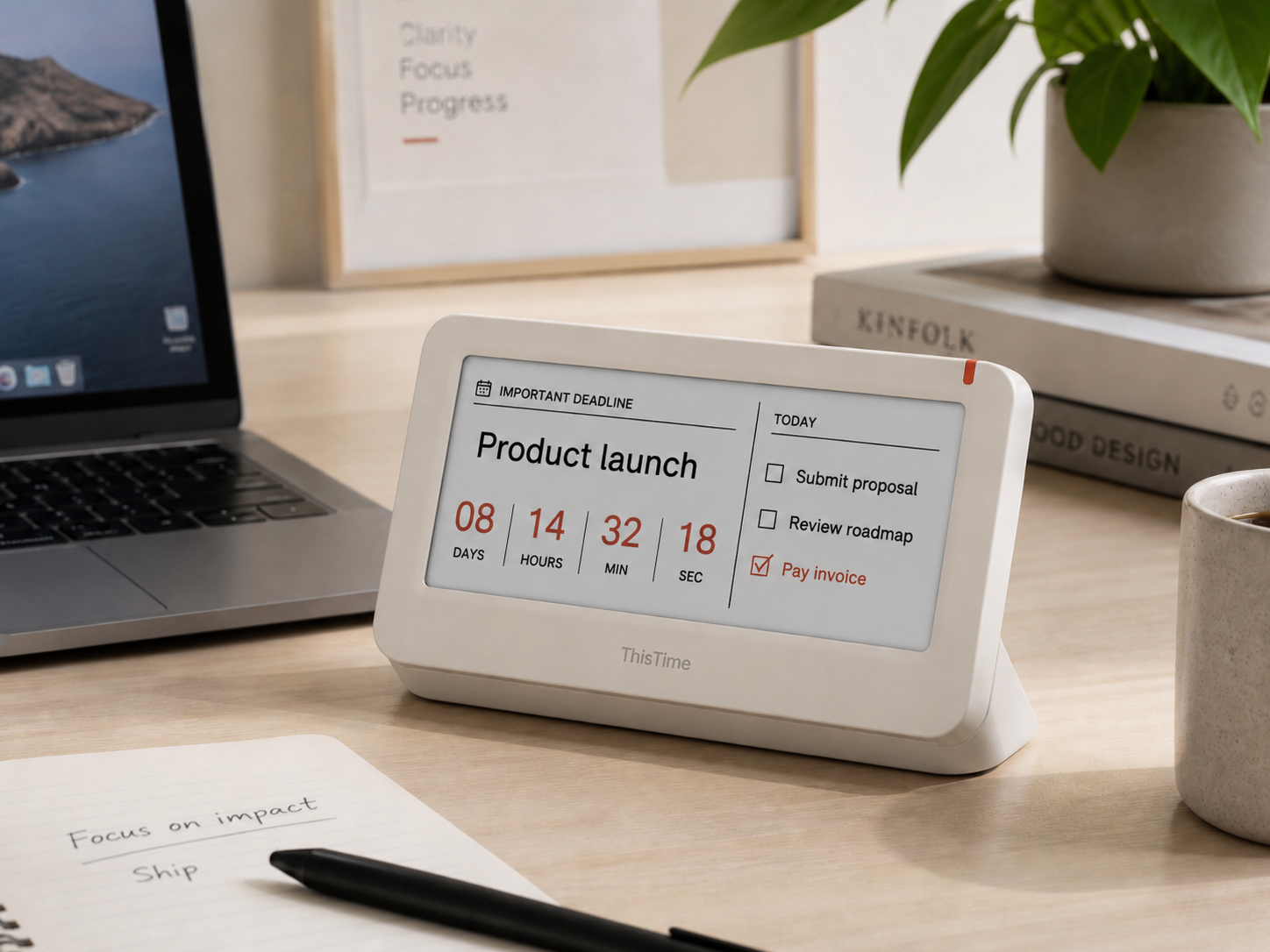
ThisTime is a minimalist desk countdown display and companion mobile app for people who fight procrastination, lose track of priorities, or need a gentle reminder that time is always moving.
The problem
Most productivity tools live behind notifications, tabs, and habits you must already have. ThisTime brings your most important commitment into your physical workspace, where it quietly turns intention into visible urgency.
When a deadline is “later,” the brain delays. A visible countdown makes the cost of waiting concrete.
Calendar alerts and task apps compete with everything else on your phone. Your desk display has one job.
Set goals in the app, then let the device keep reminding you without another distracting screen.
The solution
Place ThisTime on your desk, choose the deadline that matters, and let the countdown become part of your environment. It is not another noisy gadget—it is a focused signal designed to help you start sooner, decide faster, and finish with less panic.
Companion app
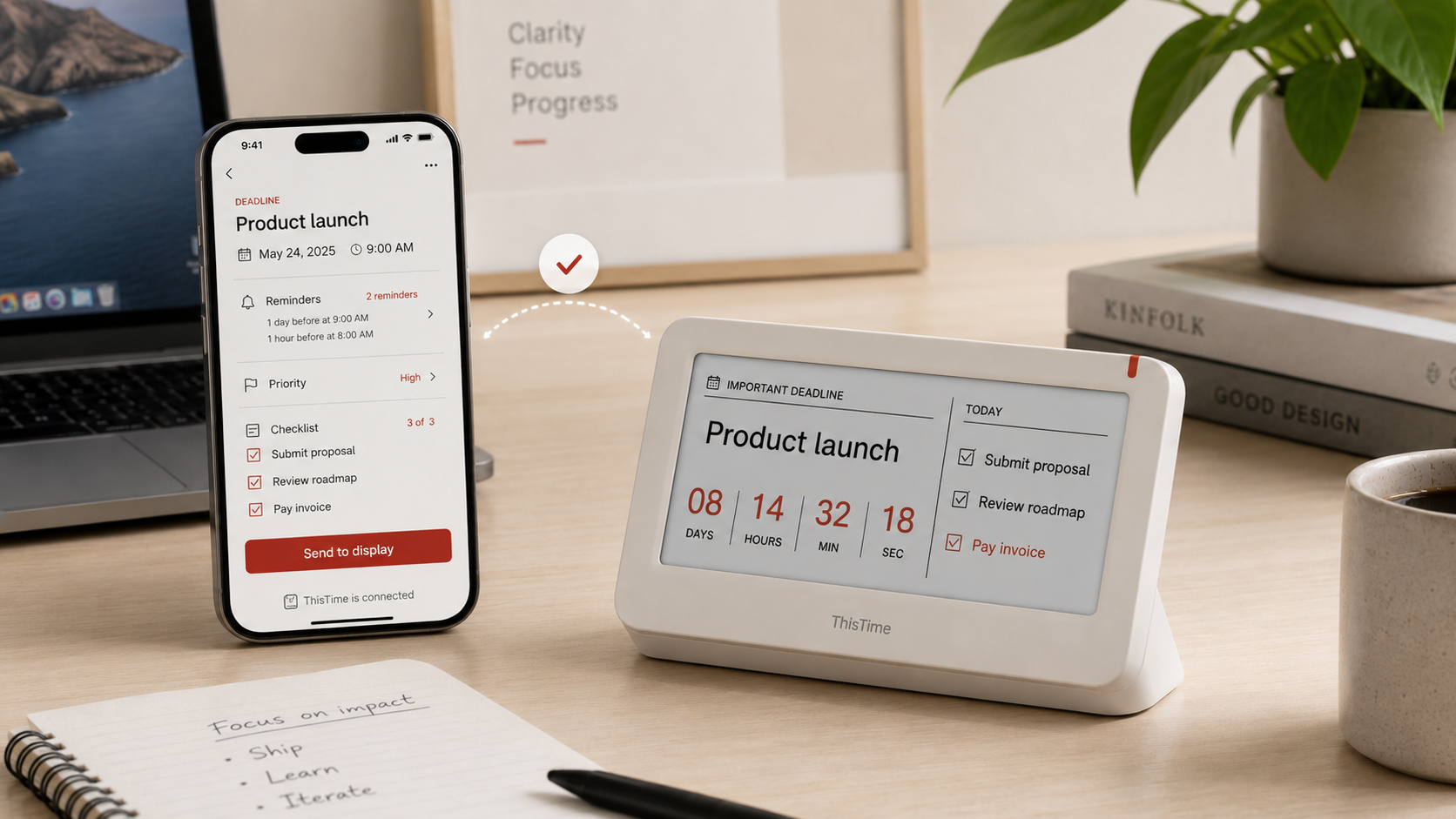
The ThisTime mobile app helps you create countdowns, manage task deadlines, and send the most important item to the physical display. Future integrations can connect your existing calendar and to-do workflow so you do not need to rebuild your system from scratch.
Name the event, choose the due date, and define how early you want to be reminded.
Select the one task or moment that deserves your attention right now.
Sync the countdown to your desk device and let it become a quiet accountability partner.
Simple Bluetooth pairing
Open the ThisTime app, turn on the desk display, and connect over Bluetooth. Once paired, your phone becomes the control center for choosing the active countdown, reminders, checklist items, priority level, and display preferences.
“You do not need more pressure. You need a clear, beautiful reminder of what your time is for.”
Coming soon
We are shaping ThisTime with students, founders, makers, freelancers, and anyone who wants to stop letting important work disappear into “someday.” Join the early list for prototype updates, product research, and launch news.